Session Transcript
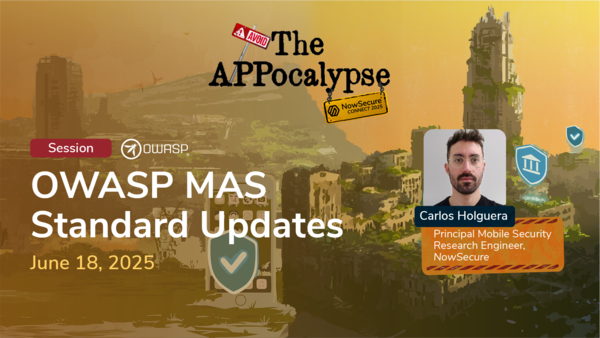
Well, hello everyone. Uh, welcome to my talk at nonsecure connect. Um, I'm Carlos Olivera and uh I'm a principal mobile security research engineer at now secure and the OASP um project lead of the mobile application security uh project at OASP. And um yeah, here's my contact in case you would like to add me on social media. And uh today I'm here to present all the news uh that we have in the project. Uh very exciting news. So let's just dive into it. But first of all, I would like to celebrate with you this because this is a huge achievement uh for now secure and we are uh currently celebrating 3 years of now secure being an MAS advocate. Uh this is great because this is shows uh continuity and uh commitment to the project. So the we we created this program some time ago called advocates and these are industry adopters and supporters of the project that have um done a significant and consistent amount of work like dedicated resources that means people uh working for the project and um this is this is a lot of work and we recognized this uh very long time ago and continue doing it and this here is the third anniversary. So, uh, thanks now secure for that. Um, we recently welcomed a second company SMS MAS advocate and we would like to encourage other companies to join us. So, if you'd like to be part of that, uh, let me know. And also, we have this group that is called the MAS task force is a group that um does this work together. So we meet regularly and discuss all these mobile security topics and new tests, new demos, all the things that you're going to see in this presentation and um distribute the work and have super interesting discussions. Uh of course now secure is there and others uh from other companies are also there. So if you are also interested in that, let me know and we can get you added. So let's go to the news. Um but before that um I would like to just give you a refresher on the project. So in the MAS project we have three u main documents so to say. The first one is the standard the verification standard MASVS. The second one relatively uh new is the MASSWE is the weakness enumeration and we have the testing guide the MASG. These goes from like these resources are all linked together and they go from high level to low level. As you can see here, the MESVS being very high level and less specific representing the attack surface of mobile apps, storage, crypto, platform interaction, um, authentication and so on, privacy. So, um, something like this could be insecure crypto is bad. Yes, of course, it's not written like that in the MESBs, but it's what the MESBs is telling you. But we can get more specific, right? That's why we have the MASSWE, the weaknesses enumeration. This is more specific telling you that the app uses weak encryption algorithms could be something else. And the MASBs uh sorry, the MESWE describes and defines all these possible weaknesses. in a way is very similar to probably you know the CWES that when you get a pen test or you see some reports somewhere uh people the testers uh typically linked link or map their findings to the CWEs. So this is like that but for mobile and it's very extends like with hundreds of weaknesses and then uh we get even more specific and then we are in the testing guide where we know that for um Android specifically we need to test for cipher objects using the dees algorithm. So news now finally promised this is the U MG version two that's coming in this month I would say like hopefully if everything goes well before the end of the month we will have the official release of the version two and um this is huge this is huge because um we haven't had a release since 2020 23 three I believe with version 1770 and um now we're finally um doing it with version two. So uh I would like to just present to you the architecture like this is final. We have um modified a lot of things in the in the project and you can see exactly what you saw before like very simplified now more in greater uh detail here starting with the MSVS on the on the left side which has the every control that we have for the attack surface of the app and these controls are then represented by multiple weaknesses in the MES uh WE together with some best practices of course and then when we go into the mastg version two you see that we have a lot of components that weren't there before uh we have the knowledge we have some apps that are like sample apps we have the tests of course because you need to test weakness with several one or multiple tests and um those tests would use some techniques like static analysis and dynamic analysis reverse engineering and so on and those techniques will use some tools. So all these things have um dedicated pages in in the project in our website and uh they are all linked together with cross references so you can always uh read all the information and navigate from one to another. And another thing that is uh super exciting is uh that we now have demos as well. So um when we create tests they would include one or multiple demos demonstrating the weakness in an actual app. So same story again just different ways of looking at it. This is one specific example of that. We have a masvs crypto one that is about current strong cryptography and industry best practices. But what does that mean? So we represent that with several weaknesses. One being weak cryptographic key generation, another being um about random numbers and number generation and there are more. So in this case if we pick um the one with the number uh 27 for random numbers, we see that in this case we have two tests, one for insecure random API usage and another one for non-random sources usage. And the first one has a demo called common uses of insecure random APIs. We're going to see uh this in detail with code and files and apps and everything later uh in this presentation. So some numbers uh for you uh related to version two. So uh we have until today maybe today we have even more but at least uh 126 uh techniques defined in the MASG including things like biometric bypass method hooking reverse engineering traffic interception and many more. We have 116 tools including ADB, Freda, Radar, Man in the middle, proxy and many others. And we have 145 tests. And um you see the split between those two numbers because uh we have a couple of them that are still following like the old structure. Even you can use them, but uh we will rework them. and 66 that are fully new following the new structure in the MEESTG version 2. And we have 55 demos. This means you have 55 probably again today even more um apps that you can just download. They contain one of the uh weaknesses and then you can play with them. You can try to hack them. you can try to uh reverse engineer them engineer them and so on. So let's take a look at that. Let's take a look at um at demos and the tests and so on. So what is so nice about the new tests? What is this a big deal? Uh the new test they have a very specific uh structure including an overview, steps, observation, evaluation, references and links to demos of course. So the um in the overview you will see that it's very specific to the platform. In this uh screenshot we have an Android test. So this is going to um explain the relevant APIs that you need to pay attention to that are going to be using the steps and why this is bad like why why are we testing this thing and why are we testing it like this. Then you would have the steps one, two, one, two, three, uh as many as we need specifying things like okay you need to get the app reverse engineering then you would run static analysis this way and so on and then after running those tests you will get an observation that is like the output of running those tests and then and this is super exciting for many people we we got this question a lot why don't you have like specific evaluation criteria. We have evaluation criteria right now. We tell you when the test fails and we give you the conditions now as you can see on screen. So um what also makes uh these demos that I mentioned very exciting is that they are real apps. So here you can see that uh we have one for Android and one for iOS. These are like base apps that are hosted in one of our repos. They work. They are extremely simple and they are meant to be like placeholders for weaknesses. So whenever we develop a new demo, we develop the code. The code goes to this app, gets replaced by the placeholder code and then we build it and build the APKs, IPAs, uh that you can then download and so on. So um and sorry one more thing here like with this this means that this is not like before that we have the MSDG the testing guide where you would see some code samples and things like that that sure probably the person that wrote this um and sure that was working at that time but you never know if that's still working right so now we're moving away from this kind of static hardcoded uh code samples and going into something that we can test and we can build in pipelines and we can verify that it's working. So this should give you uh some trust that when you're going to use these demos, you know that they are working and um that we um monitor them continuously and fix them if necessary. So there are two ways that you can uh use this demo. So one you can just uh go to our website go to the demo copy paste it in your IDE for instance Android Studio or Xcode let it run and then you will have your emulator or your physical device and the demo will be running in there then you can start your analysis and so on. And then um you can also download the APKs or the IPAs and then for instance if you have an APK you can even open it in Android Studio and run it and so on and then you can uh start running the code that we provide you. So I'm going to explain this in more detail with some demos so that you can see uh how this works and also we're going to see both uh cases like static analysis and dynamic analysis. So let's take a look at one. This one uh is uh MSVS platform demo. So is about the interaction with the app and the platform specifically um through web views and cont uh content providers. So in this example, we're going to use uh Freda and we're going to inspect the the web views to check if they have the proper or improper uh configuration there allowing some u API key in this case to be exfiltrated. So let's uh take a look at that over here. So this is the website where you can see the this demo. You can see that we have this open folder. So, we're going to just clone the repo, open the folder, and here we are. The demo has many files including of course the source code. This is the source code that we created for this demo. And you can see that has the web view and other fields. We have the Freda script that we are going to uh execute here to get all the information about the web views in the app. And uh we're going to run this with the runsh demo that we also provide. So um we go to the actual uh project. You can see it's exactly the same code that is what's running currently in the emulator. And um now we're going to run t the code. And for this we need to uh open a terminal and then we're going to execute the run shell script that's going to start Freda. Spawn the app again. And now if we click on start boom we see the data was exfiltrated. That's why you can see the API key there. You can see that there is a call to get settings. we can see uh the location in the code and uh the fields here. So now we need to take a look at specific fields because we are dumping all of them but uh the demo describes exactly that. So here you can see that these are the steps that we follow. Uh this is exactly the same script and run script. the observation that you saw also in the output. This is the the part that I didn't show in the in the demo which is the server actually receiving that API key uh the attacker server and here you can see why exactly the test fails and the key being exfiltrated. So how can we uh fix this now? So let's going to sorry about that. Let's going to take a look at um the fix over here. So in the in the website you can see that we are in the test now and the test uh also defines the the pass case and we have some best practices and the best practice is telling you hey this uh field is typically true like by default but if you set it to false then you are good. Of course, if you don't need it, otherwise you would have to find another solution. And in this case, we go to the code, we comment that out because by default is true, right? So, we need to explicitly set it to false. And now we run again the demo. And if we click again, then you will see that the data was not exfiltrated. Well, I need some watering. And yeah, and you see on the console, of course, that we couldn't send that to the attacker. One tiny change and this uh was fixed, right? Um we get a lot of questions about this scenario uh because uh when we report this kind of vulnerability some people wonder but and say like hey but I didn't set that parameter so why you're reporting this and it's like yeah we're because the default is insecure in a certain situation so that's why nonsecure we are reporting that whenever we see that It's really a potential weakness in your app. And just go back over here and I have another demo for you. So this is a crypto demo on iOS and we're going to use uh Radare and this is about insecure encryption algorithms and specifically using this API, the common crypto API. So let's go over there and let's start the demo starting with uh from our website of course where you can read all the information. We go to the folder in this case uh you see is the folder with all the files that we need. We don't have an a simulator or a device because this is fully static. Here's the code that is calling the wick algorithm. Sorry, the encryption with the weak algorithm. This is the run script. This script is going to call a radar script that has several uh instructions there, several comments and uh now we are opening this in the terminal and we are going to run it against the binary which is also contained in this folder and after running it you can see the output here. So we found the call to CC script which is exactly the API we were looking for. But as you can see it's difficult to see if this is using the yes right. So is this using the weak algorithm? Yes. No. Uh we go back to the website and we see that we have the steps here as expected the run script. We have the output that we just saw on screen exactly the same but we need to evaluate it right. So now we see that the evaluation contains a lot of additional information about that API to help you when you're reverse engineering figuring out that indeed it was uh using 3DS and that's because of this small two over here. So the test fails because the app is using the weak algorithm. And uh just wanted to show you also this because you in some cases you can use AI and you will get a pretty good uh reverse engineered version and in this case it would have been much easier to spot. Right? So yeah the new AI era. So that's everything uh from my side. Thank you very much uh for attending. If you have any questions, uh, let me know. And here I leave you my contact. And here the contact for the MAS project with all the social media links and emails and whatever you need to contact us. So please go there, let us know if you like it, let us know if you would like to contribute as well. We welcome contributors always. So thank you very much. What does a healthy DevOps regimen look like? How should my security team and my development team work together to limit business risk and ensure the safety and security of business critical applications? The answer by implementing an efficient workflow that allows all teams to work together continuously without impacting the productivity of others. Let's walk through this example. Developers complete code review on a new feature and automatically kick off a scan via the CI/CD pipeline. Now secure platform performance static and dynamic binary analysis in minutes. In this example, the automation produces 42 finding. These findings are then filtered through now secures policy engine which the security team customizes to ensure that all high and critical findings immediately and automatically generate tickets into the developer ticketing system. Assuming five findings were high and critical, the remaining 37 findings are then manually reviewed by the security team to triage and assigned to the appropriate queue for remediation. This workflow assures that high severity tickets are provided as soon as they are discovered and less severe tickets are triaged appropriately by security teams. Using the integrated workflow with now secure policy engine is the fastest way to prioritize and remediate issues in your mobile application suite. [Music] Hi, I'm Michael Krueger and here to talk to you about traditional pentesting versus pentesting as a service. Standalone pentesting is our traditional application of pentesting for mobile apps. experts uh conduct rigorous security testing against the application, provide a final report and then ultimately remediation consultation. However, there is a problem with that. Uh in this example, there may be an application that has uh three major releases throughout the year as well as a number of minor releases. Uh and we're conducting an annual pen test as well. The annual pen test in March, as you can see, may catch one of four bugs throughout the year. However, those other three bugs may introduce vulnerabilities that may not be caught until the following annual pentest if it's not uncovered during other rigorous testing. How do we fix this sort of application? Well, that's where we bring in pentesting as a service. Pentesting as a service modernizes the pentesting approach by utilizing SDLC integrations to allow and reduce developer friction by uploading binaries directly into uh a software as a service platform. Allow you to dynamically request pentest on demand from experts. Go through that typical expertled pentesting cycle. export reports on demand but also feed that report information back into a more continuous monitoring program can also conduct retesting. But as we as we ingest into the continuous monitoring continuous testing program, we start this continuous cycle of uploading new releases for assessment automated assessments occurring throughout the year. constant reporting and notification out to van management and uh bug tracking systems and of course that remediation consultation all happening in a continuous application. So as you can see here, we've now taken that that annual pen test. We've introduced another more prescriptive pentest throughout the year, but we've also introduced this concept of a continuous monitoring, continuous testing program so that uh those bugs throughout the year can be addressed in a much uh much more reduced time frame. Uh final, I'll leave you with uh some benefits to PTAZ. uh continuous testing really does ensure that new releases don't go untested for long periods of time. It reduces that developer friction by enabling binaries and results to be provided directly via CI/CD. Uh ideally, it's an application of progressive testing for your mobile app risk management program. Reduces cost by allowing flexibility in the frequency and the types of continuous testing. And finally, it allows trend analysis and a view of all of your assessments despite their type in a single platform to get a overall view of your entire mobile portfolio. [Music] Hello and welcome to your Mar. I'm Alan Snyder and today we're going to talk about the first step in the MARM program. We're going to talk about how you classify apps and put them into business impact tiers. The business impact tier is super simple. It's basically saying how important is this app to my business and what is the impact to my business if there is a cyber security incident. Be that a data breach, be that a vulnerability, privacy issue, operational disruption, all sorts of things that can cause harm to the business. So, let's dive right in and let's take a look at some of the characteristics that we recommend. Now, what's important to understand about what we're going through here is that each company is going to come up with what is appropriate for them. We've created a best practice document to help you define these and serve as a template, but based on your threat model and based on your operations organization, it's probably going to vary a little bit, but you need to look at things like sensitive information. Does it have PII, health information, financial transactions? Does it have your brand on it? Is it the primary path to business? Does it collect geolocation data? Maybe have access to contacts and microphone and camera. So, it's collecting information that you have an obligation to protect. How many uh connections and endpoints does it have? In essence, where could that data that it's collecting be distributed to with or maybe without your knowledge? All of these things go into that factor in terms of how much of an impact therefore how much of a risk is it to your business. So this has been the MARM minute super quick but hopefully it helps you put together a better program. [Music] Hello and welcome to the Mar. I'm Alan Snyder and today we're going to talk about the second step in the MARM program. It is basically asset inventory. It's understanding the mobile apps that are in your environment that need to be secured and protected. It comes in a couple different groups. The first relatively straightforward to uh understand a little bit harder to identify that is all the mobile apps that you or a vendor develops on your behalf. typically is going to have a brand usually going to be in public app store maybe in your internal enterprise app store. The second category is uh apps that are approved for use. So this is one that you didn't develop but a third party vendor developed with their brand but you're putting your intellectual property or uh PII or other such information that needs to be protected in it. So, think of things like maybe Slack or some other uh messaging uh platform teams that you didn't build it, but you're using it. It's super sensitive. Uh those are typically going to be in your MDM and they are approved for use apps that get pushed out to new employees. The third category is going to be BYOD and this really depends on your security posture about how important it is to protect. But that's your big categories there to go and find. So really one group you're going to do with your MDM, the other group you're going to do with your development teams and vendors. This has been your MARM minute.